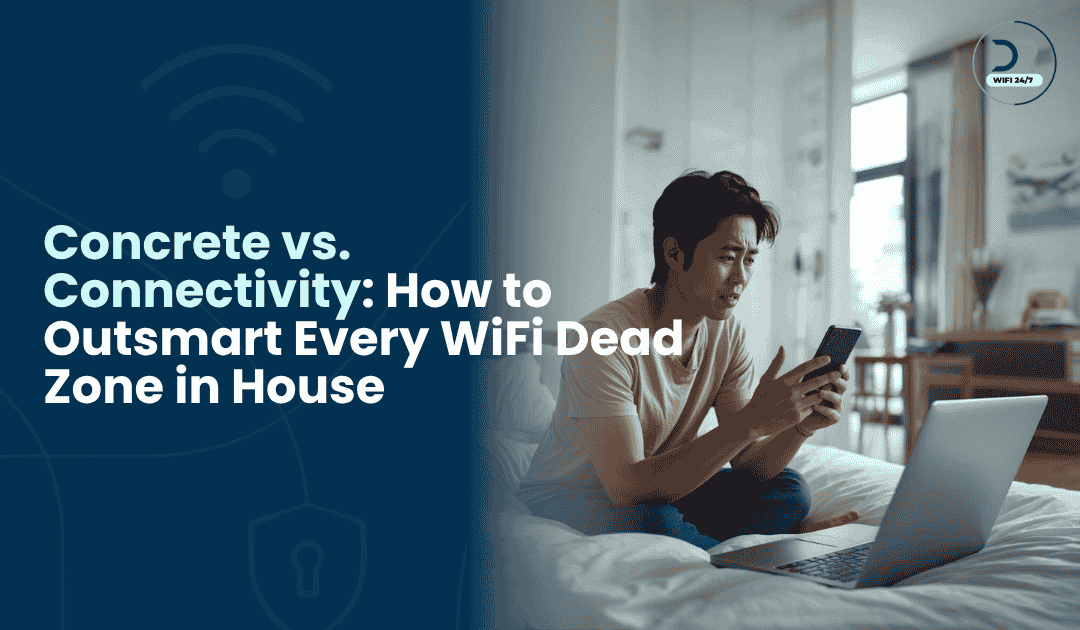
WiFi dead zone in house issues can turn a beautiful modern home into a source of constant frustration. You pay for a high-speed internet plan from your provider every month. However, you still experience buffering while watching Netflix in your master bedroom. Consequently, many homeowners spend hundreds of dollars on new routers and extenders. They hope that buying more hardware will finally solve these connectivity issues. Unfortunately, the problems often persist because the root cause remains hidden.
Fixing a network requires more than just rebooting your modem every morning. Specifically, it requires an understanding of radio frequencies and structural interference. A professional knows that every house in Singapore has unique challenges. In addition, the way you use your devices affects how the signal travels. Therefore, stop guessing what might be wrong with your internet connection today. Instead, learn why a WiFi dead zone in house requires an expert touch to resolve permanently.
Why Is My Room a WiFi Dead Zone?
This is the most frequent question we hear from homeowners who struggle with patchy internet. Often, you might have a full signal in the living room, but the moment you step into your bedroom, the connection vanishes. The most common reason for a WiFi dead zone in house is simple distance. The further you move away from the router, the weaker the radio waves become. However, in modern Singaporean apartments, distance is rarely the only factor.
Your room might be a dead zone because of how your home is designed. If your router is placed at one end of a long hallway, the signal must travel through multiple obstacles to reach you. By the time it arrives, the data packets are too weak to maintain a stable stream. This leads to dropped Zoom calls and slow social media feeds. Identifying why a specific room is struggling is the first step toward achieving total home coverage.
Common Causes of a Poor WiFi Signal in House
Identifying the source of your connectivity issues is rarely about pointing to a single culprit. Usually, a poor WiFi signal in house layouts is the result of how your wireless data interacts with the physical world and other electronic signals. By understanding the following factors, you can begin to pinpoint exactly why your connection is failing and where the most effective improvements can be made.
Understanding Environmental Interference and Signal Decay
Beyond the basic physical structure of a building, several environmental factors contribute to a degraded connection. When radio waves travel through a home, they don’t just stop at walls; they bounce, refract, and lose energy. This phenomenon is why a signal might show full bars in the hallway but drop significantly once you step inside a room with heavy furniture or decorative partitions. Furthermore, everyday household items can also block your WiFi signal, creating unexpected disruptions in your daily connectivity. Understanding the nuances of how these signals behave is the key to a more stable home network.
The Role of Domestic Electronics and Signal Noise
One often-overlooked aspect of poor WiFi signals in house layouts is electromagnetic noise. Most modern homes are packed with electronic devices that operate on similar frequencies to your router. For instance, kitchen appliances like microwave ovens are notorious for leaking 2.4GHz radiation, which can temporarily paralyze your connection while you are heating a meal.
Additionally, wireless peripherals such as baby monitors, cordless phones, and even some older Bluetooth speakers can congest the airwaves. This creates a crowded environment where your data packets must fight for a clear path. According to Signal Boosters, physical materials like concrete and brick are the biggest enemies of a wireless signal. However, the invisible clutter from other electronics can be just as damaging. When multiple devices try to talk at once on the same channel, the result is high latency and frequent disconnections.
Impact of Multi-Story Layouts and Vertical Obstructions
In Singaporean landed properties or maisonettes, vertical signal distribution presents a unique set of challenges. WiFi signals generally broadcast in a horizontal and slightly downward pattern. This means that if your router is placed on the ground floor, the bedrooms on the upper levels will likely struggle with a weak or nonexistent connection.
The floor itself acts as a massive barrier, especially if it contains reinforced steel or underfloor heating systems. Even a standard wooden floor with thick carpeting can dampen the signal enough to cause buffering during high-bandwidth activities like 4K streaming. For these multi-level homes, relying on a single central router is rarely sufficient. Mapping out where the signal must travel vertically is a vital step in deciding whether you need to invest in a more robust distribution system, like a wired backhaul or a high-end mesh configuration.
Managing High-Density Living and Neighboring Networks
For those living in high-density HDB flats or apartments, the neighbor effect is a significant factor. Your home is not an isolated bubble; it is surrounded by dozens of other WiFi networks all competing for the same limited number of channels. This overlapping of signals leads to co-channel interference, which slows down your effective speed even if your hardware is top-tier.
Choosing the right frequency band becomes essential here. While the 5GHz band offers more channels and less interference, it has a much harder time passing through the very walls and mirrors mentioned earlier. Finding the perfect balance between frequency choice and physical placement is a delicate task that requires a deep understanding of your specific living environment. Clearly, identifying these external and internal factors is the only way to truly fix a WiFi dead zone in house for the long term.

How to Outsmart Every WiFi Dead Zone in House
To truly outsmart a WiFi dead zone in house, you must move beyond basic retail solutions. While many people run to the store for a cheap WiFi extender, these devices often cause more harm than good. A standard extender works by receiving a weak signal and re-broadcasting it. Because it uses the same frequency to communicate with the router and your phone, it often halves your available bandwidth. This is why your internet feels slow even when the signal bars look full on your screen.
The professional way to outsmart these dead zones is by using a Wired Backhaul. This involves running physical Ethernet cables from your main router to various parts of your home. By connecting your WiFi nodes or Access Points via cable, you ensure that 100% of your internet speed reaches every room. Unlike a wireless mesh, which can lose strength through thick walls, a wired connection is immune to structural interference. High-end homes in Singapore often use this method to maintain gigabit speeds in every corner.
Identifying Complex Interference and Channel Overlap
Wireless signals occupy a very crowded space in high-density living areas. In many Singapore estates, your neighbors’ networks can clash with your own. This is a technical issue known as channel overlap or congestion. Specifically, if too many routers use the same frequency, your speed will drop significantly. Basically, it is like being stuck in a massive traffic jam on a narrow road. This creates a frustrating WiFi dead zone in house for residents in crowded areas. Therefore, you need a professional to scan and optimize your local airwaves for the best performance.
In addition, modern homes now have dozens of devices connected simultaneously. Every gadget, from smart locks to CCTV cameras, fights for a piece of the bandwidth. Actually, a standard home router cannot manage this heavy load efficiently. It starts to drop older devices to make room for new ones. Consequently, you experience intermittent disconnections that seem random. These complex issues often require a professional to configure your network to handle high-density traffic with total ease.
Professional Site Audits: The Real Fix for Your Connectivity
A professional site audit is the only way to get a complete map of your home network. Instead of guessing, an expert measures the actual signal strength in every single room using professional heat-map software. They look for noise and interference that a regular user would never notice. By doing so, they can plan the exact placement for every access point and node. Consequently, you get a customized solution that eliminates every WiFi dead zone in house based on your specific layout.
In addition, experts provide a long-term strategy for your home connectivity. They do not just fix today’s problem; they prepare your house for future technology like WiFi 7. Specifically, they ensure your network is ready for 8K streaming and high-end VR gaming. Furthermore, they can integrate your security systems and smart home gadgets into one stable platform. Ultimately, this professional approach saves you time and money by avoiding repeated hardware purchases that cannot solve your WiFi dead zone in house.

Conclusion
Living with a WiFi dead zone in house is a choice you no longer have to make. You deserve an internet connection that works as hard as you do. So, stop wasting your weekends trying to move routers and resetting your devices. Trust an expert to identify the technical gaps in your home network today. Indeed, a professional installation is the best investment you can make for your modern home.
At Dr WiFi, we specialize in solving the most frustrating connectivity issues in Singapore. Our team goes beyond the basics to provide high-performance network solutions. Specifically, we audit, plan, and install systems that guarantee 100% coverage. Furthermore, we eliminate every WiFi dead zone in house and ensure your high-speed plan actually delivers results. Contact Dr WiFi today to schedule your professional site audit and fix your WiFi for good.